
What Happens When Codebeamer Works Right Inside Microsoft Teams?
Engineering teams spend their day in Microsoft Teams. Discussions happen there, decisions are made there, and project updates are shared there. Yet the actual ALM data – requirements, work items, tests, and traceability – remains in Codebeamer.
This separation often creates unnecessary manual work, lost context, and delayed updates.
Join Sascha Dais at the live webinar and see what changes when Codebeamer content lives inside the place where your team already communicates.
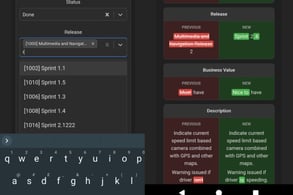 The integration also includes mobile access, enabling teams to stay connected to Codebeamer information and act on updates even when away from their desktop.
📅 When & Where?
25. June 2026 – 2 PM CET via Zoom
Four Real-World Workflows
In this webinar you will learn:
- How to turn any Teams message into a Codebeamer ticket with one click, automatically routed to the correct project and tracker
- How to embed fully interactive Kanban boards into Teams channels for live status updates without exporting anything
- How to view and edit Codebeamer tracker items inline from a Teams notification, with changes flowing straight back into the ALM system
- How to spot requirement changes with a diff view inside the channel, before they turn into expensive rework
Why Attend
See the NANGA Codebeamer Teams Integration in action across all four scenarios drawn from real customer workflows. From the first chat message to the final Codebeamer update, the entire flow happens inside Microsoft Teams.
Watch how teams eliminate manual handovers like copy-pasting, screenshots, and duplicate updates, while ensuring that stakeholders stay aligned without needing constant access to Codebeamer – whether at their desk or on mobile devices. Teams react faster, document automatically, and maintain full traceability without leaving their communication hub.
👉 Secure your spot here and register for the live webinar: